A quick update: I’ve refreshed my website with the latest ways I help design teams ramp up in AI - from training to building a shared AI playbook. Let me know if it sounds relevant for your team.
Onto today’s article.
I feel like there's a widening gap between how design teams work.
At forward-leaning companies I've worked with, people show up at design reviews with working coded demos, not Figma files or slides.
They're going all in on agentic design — building working prototypes with tools like Claude Code or Codex. Figma is still used for manual polish, but it's increasingly the backup, not the main driver.
Most teams are still stitching together Figma files and dabbling with lighter agentic tools like Figma Make or GitHub Copilot.
There’s also a growing agentic gap within product organizations. Some engineering teams are moving faster with agentic coding, but designers are operating at a different speed in the static world of Figma.
In this article, we'll look at this new agentic design world, its surprising second-order implications, and a practical roadmap for leaders who want to make the leap.
Demos, not memos
That's been the mantra at high-growth companies lately.
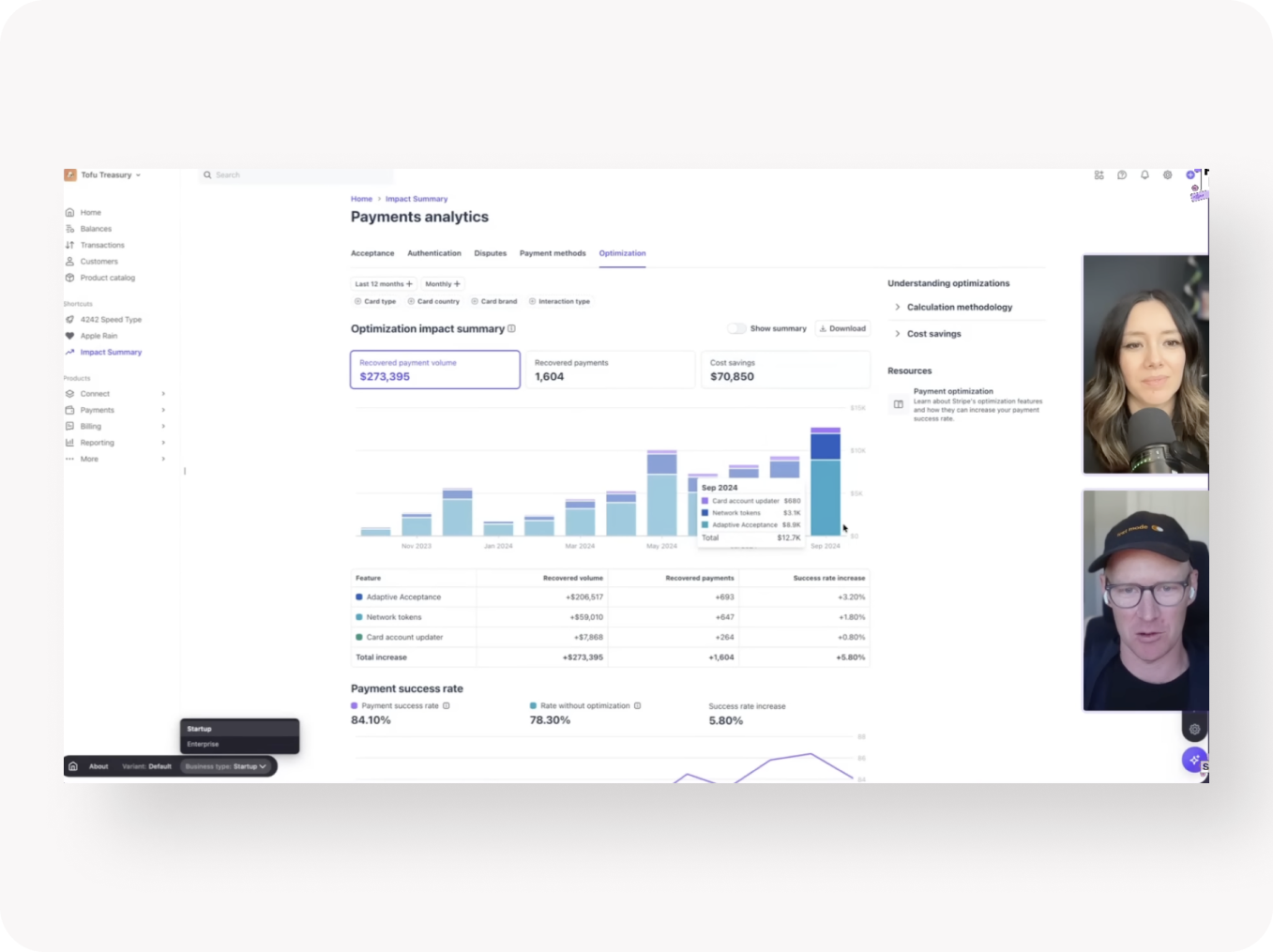
Stripe design manager Owen Williams recently shared how their team built an internal agentic prototyping tool that lets designers create functional demos with real components.
Intercom announced they've gone all in on Claude Code across the product organization. They’ve created a shared platform of resources like Claude Skills and plugins. Someone builds a tone-of-voice Skill once, and everyone benefits. The result: they’ve 2x’d their engineering velocity in 9 months.
Earlier, I wrote about how Notion design lead Brian Lovin created an internal playground for agentic prototypes.
As we discussed last time, agentic design lets teams explore complex features realistically and gives stakeholders something functional to react to. Having a working chat with an AI assistant inside a product is a completely different experience from clicking around static pictures.
Lately, I've been building a demo of a complex agentic product with Codex. The product whips up interfaces based on an agentic conversation — an early example of the growing trend toward generative UI. Trying to experience it in Figma is like trying to experience swimming in the ocean through postcards.
Steering and hand-holding
While building the prototype in Codex, 80% of the time I'm blown away at how it produces real interactive features like agentic task flows.
Codex needs more design guidance than Claude, but with the right design system and plenty of visual references, its ability to execute code is staggering. With out expert guidance, the results are complex purple generic AI slop.
The other 20%, I'm frustrated when simple things break down. Recently, a slide-out drawer component landed in the wrong place five times in a row. As product complexity grows, small wrinkles in the code compound.
Agentic design rewards patience. You have to withstand bugs and silly mistakes. The upside is unlimited exploration, real working features, and plenty of positive surprises. Instead of painting on a blank canvas like Figma, you're collaborating with an agentic intelligence to mold the product in front of you.
Taste-makers, orchestrators, and product-thinkers
I've spent hundreds of hours designing with agentic tools and teaching workshops on how to use them.
Once you go deep, you start to notice real shifts in your role and thinking.
You move from being an executor of dropdowns inside autolayouts to a higher-level creative director. You use your taste to form a mental image of an outstanding product experience, then guide the agent toward that goal with words, design systems, and visual references. It's a collaboration. Often the agent surprises you with outstanding solutions — and sometimes with total garbage.
For example, I recently wanted to refine a data dashboard. Instead of pushing pixels in Figma, I fed Codex three examples of world-class dashboards and gave it the context of user needs. It already had access to our design.md. From there, we iterated — the agent doing the grunt work, me guiding it with creative vision.
You're also thinking more about how to orchestrate multiple agents working in parallel. How they work together without breaking things. What visual, technical, business, and user context they need to perform at their best.
And you start thinking more holistically about the product experience. How does it connect to external data sources? How does real data change what users see? What context does an AI assistant have in a given interaction?
You're not a pure designer anymore. You're becoming a higher-level product builder.
Action points for design leaders
If you want to push agentic design in your team, here's how I'd do it.
1. Get the team Claude Code or Codex access. Lovable or GitHub Copilot are fine to dabble in, but to see real magic, you need the best agentic harnesses.
2. Provide foundational training. Help people get over the hump. Most need structured support to get going — they won't have the time or energy to learn it all on their own. Also, set realistic expectations. Agentic design is powerful and useful, but not perfect and needs expert steering.
3. Create a sandbox for experimentation. Give your team permission to play. Fight for enough tokens from finance. Share hobby projects you've built yourself and encourage others to do the same.
4. Share resources. Build a shared design.md with your design system structured in the agent's language. Spin up a playground with coded React components. Create an internal library of Skills to scale best practices.
The gap between teams running full steam ahead into agentic product development and teams still playing around in Figma Make is widening fast.
Helping our teams manage and thrive in this transition is the most important design leadership challenge of our time.
Let's get started.