I still remember the sound of paper printing during my first summer jobs more than 20 years ago.
In several offices where I worked, people printed important documents and emails as part of their normal routines. Computers had been present for more than a decade, yet much of the work continued to rely on ink and paper.
In 1987, MIT economist Robert Solow captured the puzzle: “You can see the computer age everywhere but in the productivity statistics.”
Paul A. David argued in 1990 that companies had layered computers on top of old workflows. They kept paper-based procedures alongside the new technology instead of redesigning the work around it.
Many teams have reached the same point with AI. They have access to capable tools, but much of the underlying work remains unchanged.
In my client work, I have found that teams start seeing more value when they examine their key workflows and redesign them with AI.
AI workflows make new ways of working repeatable
We like to think of our work as endlessly creative. Look closer and you can see the same beats repeated across projects.
We interview users and create an insight summary. We study industry benchmarks to understand how others have approached a problem. We draft five quick wireframes to explore what an experience could look like.
An AI workflow is a shareable way to complete this recurring work with AI. It acts as a concrete recipe for how people and AI work together.
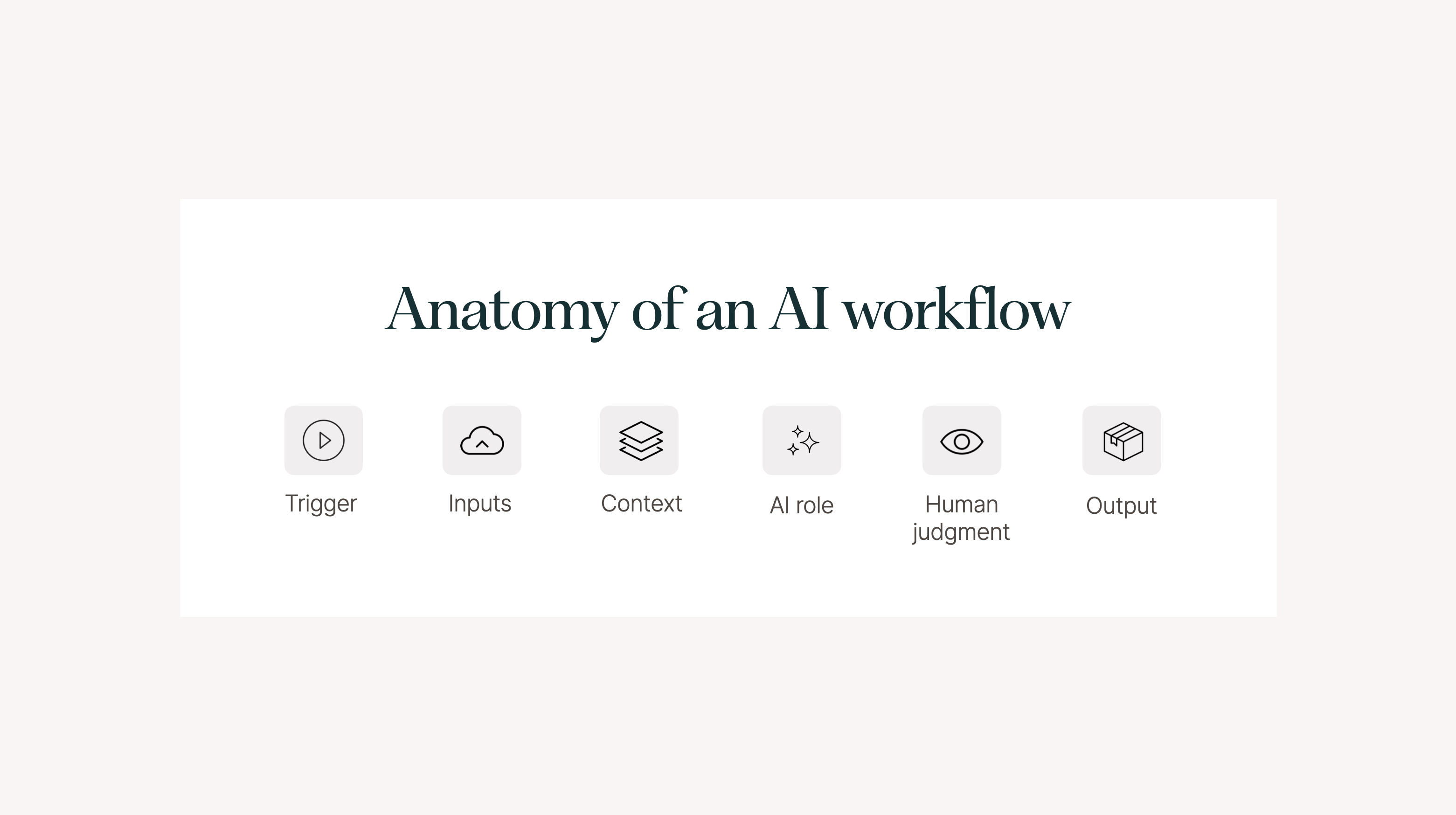
A useful workflow defines:
- The trigger that starts the work
- The human inputs
- The context available to the AI
- The steps and the AI’s role
- The expected output
- The points where people review, decide, or act
The workflow may also connect the AI to tools such as Slack, Google Drive, and Figma.
Consider an industry trend analysis workflow:
- Trigger: Every Monday at 9 a.m.
- Inputs: A person defines the industries, questions, and sources the AI should cover.
- Context: The AI has relevant background information about the company and its industry.
- AI role: An agent reviews the selected sources and analyses relevant news and trends.
- Output: A trend briefing for the team.
- Human judgment: People review the briefing and decide whether to act.
Teams can codify a workflow like this as an AI Skill. The Skill gives an agent such as Claude or Codex detailed instructions for completing the work with you.
I use a simple version of this approach for my own newsletter. A text-polishing Skill makes a light round of edits while preserving my ideas, arguments, and voice. Packaging the workflow means I do not have to reconstruct the instructions each time.
Other repeatable AI-enabled workflows include:
- Synthesising research and user insights
- Writing copy for a service or marketing campaign
- Conducting a desk study of industry benchmarks
- Drafting early solutions as wireframes
- Preparing client proposals
A shared library turns experiments into team capability
When teams share these workflows, they can build a common library of AI-enabled ways of working.
The library codifies useful practices and makes them available beyond the person who developed them. Team members contribute workflows, improve them through use, and give colleagues a tested starting point.
This also makes AI more tangible for casual users. They do not need to follow every new model, feature, or tool. They can begin with a set of proven workflows connected to work they already recognise.
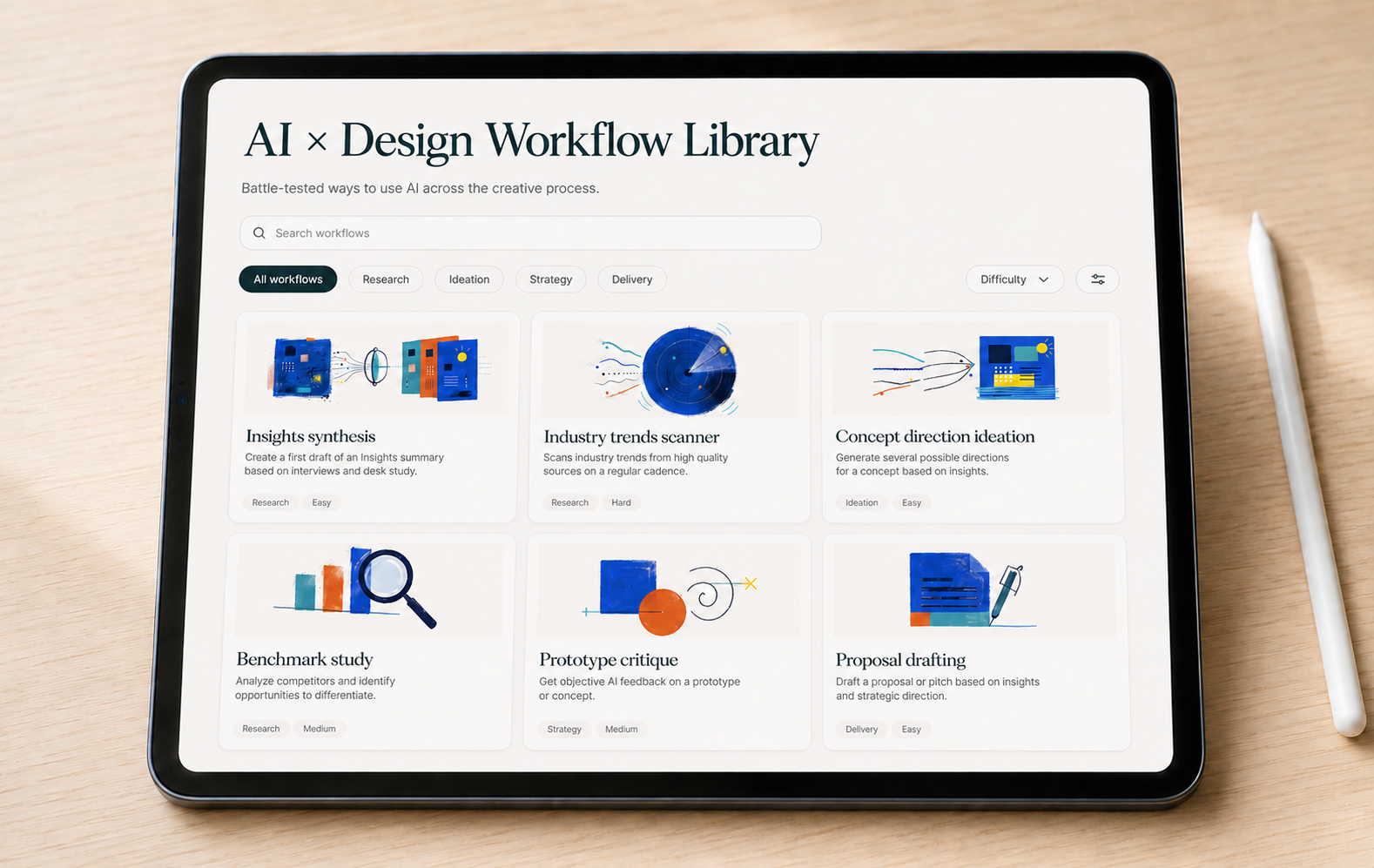
The library itself can take the form of a Notion database or a custom internal tool. Each entry should contain:
- A clear title
- A description of the value
- Instructions for using the workflow
- Detailed instructions for the AI, packaged as a Skill
The administrator of the company’s AI tools may also be able to pre-install selected Skills for the whole team.
I have worked with several agencies that maintain curated collections of their most-used workflows. These collections help teams spread useful methods across projects. Casual AI users can benefit from techniques developed and tested by the team’s early adopters.
Canva uses a similar bottom-up approach. It gives its 5,300-person team dedicated time to experiment and build with AI. The company then shares useful resources, education, and workflows through an internal AI Hub, forums, and Slack.
Build the first version in three stages
I have used the following approach with several clients.
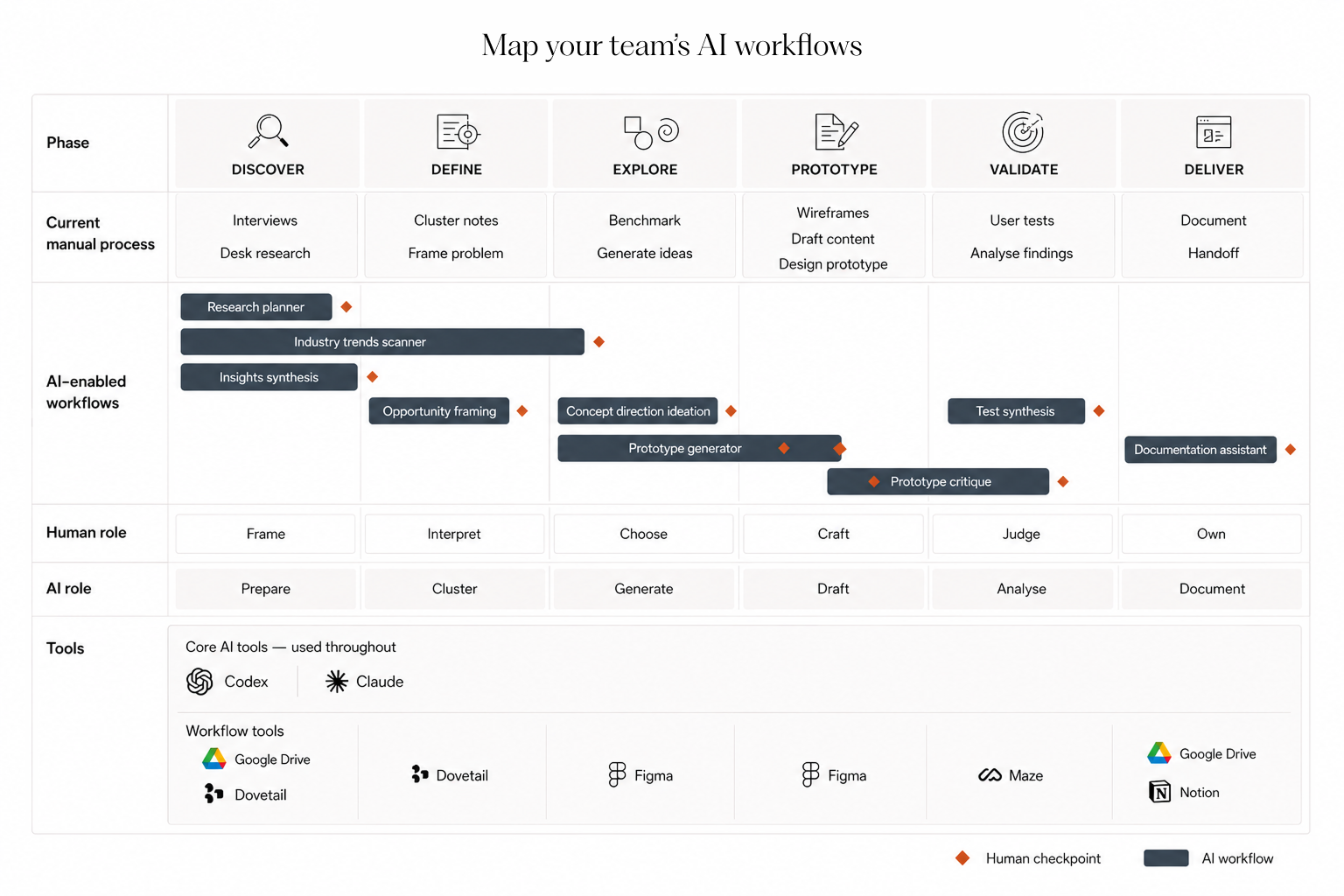
1. Map and choose
Map the main manual workflows across each stage of your creative process.
From that overview, select five to eight workflows that could benefit from AI. These can include ideas that the team has not tested yet, along with workflows already used by parts of the organization.
Good candidates share four qualities:
- They create meaningful business value.
- They contain enough complexity for AI to help.
- The team can describe the work with enough precision for an agent.
- The work recurs across projects or clients.
2. Prototype and package
Test a demonstration version of each workflow with your preferred AI tool, such as Claude Code, Cowork, or Codex.
Once the workflow works, ask the AI agent to package the instructions as a reusable Skill. Include the required context, inputs, steps, output, and human review points.
A person can then start the workflow with a clear trigger phrase, such as “Create a benchmark study on X,” and the agent can follow the instructions stored in the Skill.
3. Publish and support
Create a shared internal library of the workflows and Skills. Give people a straightforward way to discover them and contribute improvements or new workflows.
Brand and promote the library so that the team knows it exists. Provide basic training that shows people when to use each workflow and how human judgment fits into it.
A library needs an owner
The technical setup for an AI workflow library is straightforward. Building something that people keep using takes more work.
Give the library a clear owner who curates the workflows, removes outdated material, promotes useful additions, and keeps the collection connected to real work. Tailored training, delivered live or on demand, can help teams adopt the workflows with the right context.
Following each twist in AI can feel confusing and exhausting. A curated workflow library gives your team a more useful focus: improving the recurring work that already creates value.
It also gives early adopters a way to share what they have learned with the rest of the organization.
Which recurring workflow would your team add to the library first?
The AI Playbook workshops help your team agree on shared workflows, responsibilities, and quality standards for putting AI into practice.